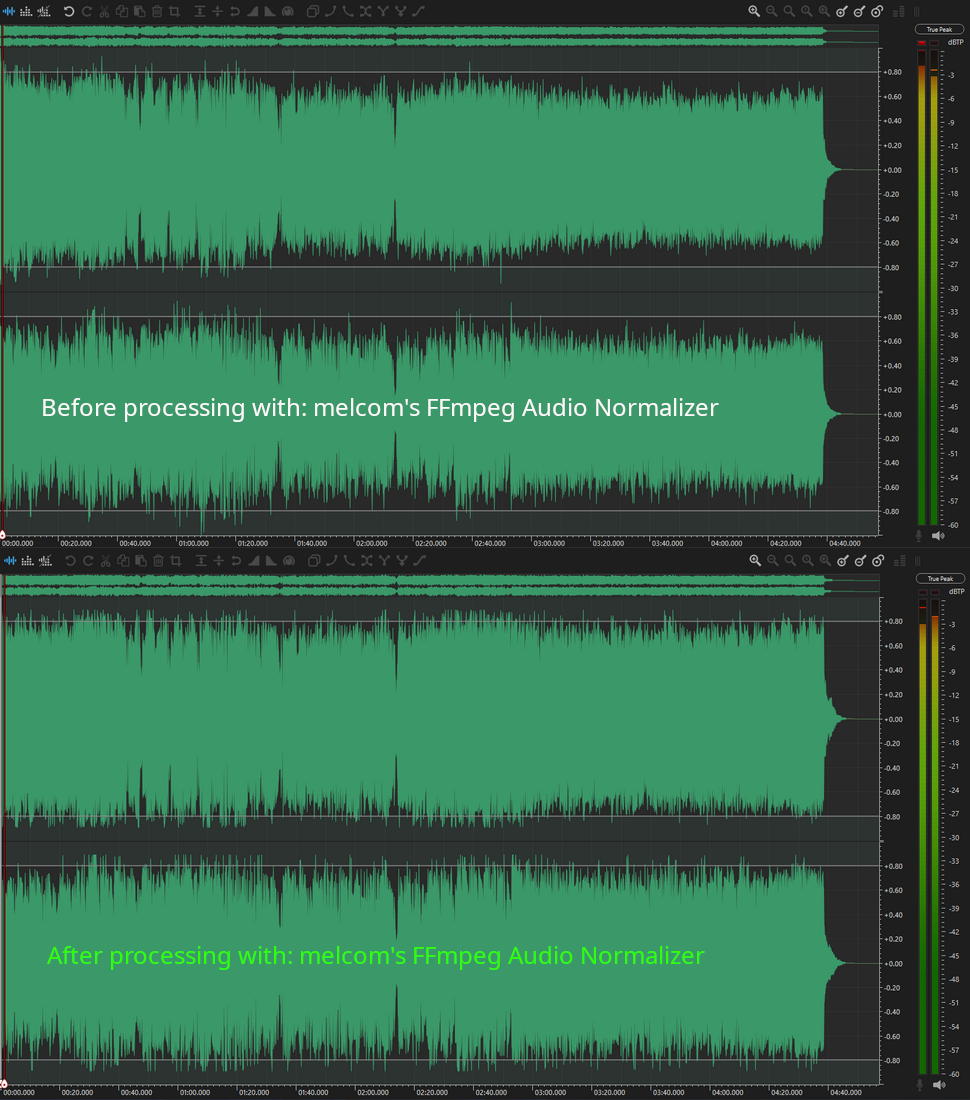
I created the FFmpeg Audio Normalizer because I often get asked how I handle volume normalization in my tracks. This tool adjusts the audio volume of a given file using FFmpeg and saves the processed version in the same directory, adding the suffix "-Normalized" to the filename.
melcom's FFmpeg Audio Normalizer is a frontend for the FFmpeg executable (ffmpeg.exe / ffmpeg-master-latest-win64-gpl.zip for Windows).
This version is a complete rewrite from the ground up, focusing on a powerful batch-processing workflow, an integrated audio player, and a modern, intuitive user interface.
### Key Features * **Batch Processing:** Add multiple files or entire folders and normalize them all in one go. * **Integrated Audio Player:** Preview tracks with full playlist controls before processing. * **Modern, Redesigned UI:** A completely redesigned interface for a more intuitive workflow. * **Increased Stability:** The new threading model makes the application more robust and responsive.
For a full list of changes, see the included `CHANGELOG.txt`.
This is the official release of the v3.0.1 Halloween Edition! 🎃 (Fix) * Bug Fix: Improved Application Path Handling for Robustness * Fixed a critical issue where language files and other resources (e.g., options.ini, logs) would fail to load when the application was launched from the Windows Start Menu search. * The program now correctly determines its own location, ensuring that all necessary files are found regardless of how or from where it is started. * This enhances stability and provides a consistent user experience across all versions of Windows.
2 comments
Hey everyone,
I created the FFmpeg Audio Normalizer because I often get asked how I handle volume normalization in my tracks. This tool adjusts the audio volume of a given file using FFmpeg and saves the processed version in the same directory, adding the suffix "-Normalized" to the filename.
melcom's FFmpeg Audio Normalizer is a frontend for the FFmpeg executable (ffmpeg.exe / ffmpeg-master-latest-win64-gpl.zip for Windows).
To use it, FFmpeg must be installed on your system. You can download it here:
https://github.com/BtbN/FFmpeg-Builds/releases/tag/latest
---
melcom's FFmpeg Audio Normalizer v3.0.0 Halloween Edition! 🎃
This version is a complete rewrite from the ground up, focusing on a powerful batch-processing workflow, an integrated audio player, and a modern, intuitive user interface.
### Key Features
* **Batch Processing:** Add multiple files or entire folders and normalize them all in one go.
* **Integrated Audio Player:** Preview tracks with full playlist controls before processing.
* **Modern, Redesigned UI:** A completely redesigned interface for a more intuitive workflow.
* **Increased Stability:** The new threading model makes the application more robust and responsive.
For a full list of changes, see the included `CHANGELOG.txt`.
Happy Halloween
Regards,
melcom
This is the official release of the v3.0.1 Halloween Edition! 🎃 (Fix)
* Bug Fix: Improved Application Path Handling for Robustness
* Fixed a critical issue where language files and other resources (e.g., options.ini, logs) would fail to load when the application was launched from the Windows Start Menu search.
* The program now correctly determines its own location, ensuring that all necessary files are found regardless of how or from where it is started.
* This enhances stability and provides a consistent user experience across all versions of Windows.